
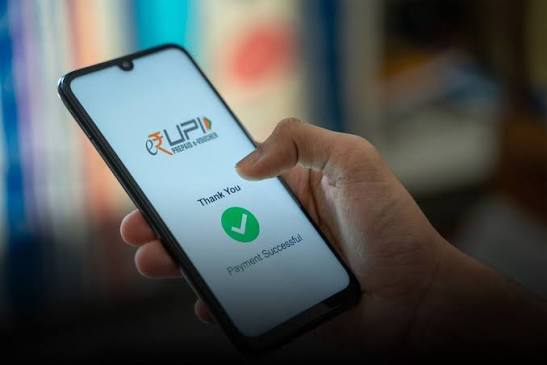
UPI has made digital payments far more convenient for everyday users by allowing money to move directly between supported bank accounts through mobile applications. It can be used for merchant payments, person-to-person transfers, utility bills, online purchases, subscriptions, and many other routine transactions.
Speed, however, is only one part of good payment management. Users still need to verify recipients, check payment status, protect their UPI PIN, review spending patterns, and understand what happens when a transaction fails or remains pending. A fast payment method can save time, but it can also encourage careless spending if every transaction is completed without review.
Why UPI Became a Daily Payment Habit
The biggest appeal of UPI is simplicity.
Users can complete a payment without entering full bank details each time. Depending on the app and transaction type, payments may be made using:
- UPI ID
- Mobile number
- QR code
- Saved beneficiary
- Merchant payment page
This makes UPI suitable for both small and larger routine payments, subject to the limits and conditions applicable to the user’s bank and payment service.
Its usefulness comes from combining speed with direct bank-account access.
A Faster Payment Still Needs Verification
The shorter a transaction process becomes, the easier it is to skip basic checks.
Before confirming a payment, users should review:
- Recipient name
- UPI ID
- Amount
- Payment purpose
- Whether the transaction is a debit or collect request
These few seconds of verification can prevent a much larger problem.
Once a payment has been authorised and completed, recovering money sent to the wrong account may be difficult.
QR Codes Should Be Treated Carefully
QR codes make merchant payments convenient.
The usual process is simple:
- Scan the QR code.
- Check the recipient.
- Enter or confirm the amount.
- Authorise the payment.
The most important step is recipient verification.
A QR code sends money to the account linked to it. If the displayed name does not match the intended merchant or person, the user should not proceed.
Receiving Money Does Not Require Sharing a PIN
One of the most common fraud patterns involves someone claiming that a UPI PIN is needed to receive money.
That is incorrect.
A PIN is typically used to authorise money leaving the user’s account.
Users should be cautious if someone asks them to:
- Enter a PIN to receive a refund
- Scan a QR code to collect money
- Approve a request for verification
- Share an OTP for a payment reversal
If the app shows that money will be debited, the transaction should be treated as a payment.
Protect the UPI PIN Like a Banking Password
A UPI PIN should remain private.
It should never be shared with:
- Customer support callers
- Merchants
- Friends
- Delivery agents
- Loan representatives
- Unknown contacts
The same rule applies to:
- OTPs
- Debit card PINs
- Internet banking passwords
- Screen-sharing access
A legitimate support process should not require another person to know these credentials.
Failed and Pending Transactions Need Different Responses
Not every UPI issue is the same.
A transaction may show as:
- Successful
- Failed
- Pending
- Reversed
A pending payment may later succeed or reverse automatically.
Users should not immediately repeat the same payment without checking the first transaction.
Review:
- Bank balance
- UPI history
- Transaction reference
- Merchant confirmation
This can reduce duplicate payments.
Duplicate Payments Can Happen Easily
Suppose a merchant does not receive an instant confirmation.
The customer may assume the payment failed and try again.
If the first transaction later completes, both payments may be successful.
Before making a second attempt, both parties should review the transaction status carefully.
Keeping the transaction reference can help if a refund or complaint is required.
Use UPI History as a Spending Tracker
UPI transaction history can reveal how much money is being spent in small amounts.
A user may not notice individual payments such as:
- ₹70 for snacks
- ₹120 for transport
- ₹180 for coffee
- ₹250 for food delivery
- ₹300 for shopping
But these amounts can accumulate quickly.
A weekly review can show where money is going and whether discretionary spending is rising.
Build Categories Around Payment Behaviour
Users can make transaction history more useful by grouping spending into categories.
For example:
Essentials
- Groceries
- Utilities
- Transport
- Medicines
Discretionary
- Dining out
- Entertainment
- Shopping
- Non-essential subscriptions
Financial Commitments
- EMIs
- Insurance
- Education fees
This creates a more realistic picture of monthly cash flow.
UPI Should Not Be Confused With Credit Availability
UPI itself is a payment rail, not a reason to borrow.
Someone considering the best personal loan for a financial requirement should evaluate the actual loan cost, interest rate, fees, tenure, and repayment capacity separately from the convenience of making digital payments.
A fast payment interface does not make borrowed money less expensive.
Credit decisions should be based on affordability, not on how quickly funds can be transferred.
Set Personal Payment Limits
Even if the bank allows a higher transaction limit, users can create their own behavioural limits.
For example:
- Maximum discretionary spending per day
- Maximum food-delivery spending per week
- Maximum impulse-shopping amount
These limits are not technical restrictions.
They are budgeting tools.
They can help users avoid the tendency to spend more simply because digital payments feel effortless.
Be Careful With Collect Requests
A collect request can look similar to a payment notification.
Before approving, check:
- Sender
- Amount
- Purpose
- Whether the request was expected
Unexpected requests should not be accepted.
Fraudsters may use familiar names or urgent language to make the request appear legitimate.
Do Not Trust Refund Links Automatically
Scammers may claim that:
- A refund is pending
- Cashback is available
- A payment failed
- KYC needs to be updated
- An account will be blocked
They may send a link that imitates a payment app.
Users should open the official application directly instead of using an unexpected link.
Urgency is often used to reduce careful thinking.
Merchant Payments Need Confirmation at Both Ends
A user should not rely only on a soundbox or notification.
If the app shows success but the merchant says payment is not visible, both should verify:
- Transaction ID
- Amount
- Time
- Recipient
- Bank debit
A delayed device notification does not always mean the transaction failed.
Avoid Public Wi-Fi for Sensitive Payments
Public Wi-Fi can introduce unnecessary security risk.
For financial transactions, users should prefer trusted mobile data or secure private networks.
Additional safeguards include:
- Device lock
- Updated operating system
- Official app installation
- Two-factor authentication where available
Payment security depends partly on the device itself.
Review Linked Bank Accounts
Some users connect several bank accounts to UPI apps.
This can be useful, but it can also create confusion.
Users should know:
- Which account is primary
- Which account will be debited
- Current balance
- Whether inactive accounts remain linked
Removing unnecessary links can simplify payment management.
Notifications Can Act as a Security Signal
Transaction alerts can help users detect unauthorised activity.
Unexpected debits, login alerts, or collect requests should be reviewed promptly.
A small unknown transaction should not automatically be ignored.
Early action can help users secure accounts before further activity occurs.
Use UPI for Bills With a Clear Routine
UPI can be useful for paying:
- Electricity
- Broadband
- Gas
- Mobile bills
- Subscriptions
However, users should still follow a basic routine:
- Verify the biller
- Check the amount
- Pay before the deadline
- Save the transaction reference
- Confirm successful settlement
Convenience should support organisation, not replace it.
Split Expenses Without Losing Track
UPI makes it easy to split shared expenses.
This is useful for:
- Group meals
- Travel
- Household costs
- Shared purchases
For larger amounts, users should keep a simple record of:
- Total cost
- Individual share
- Amount received
- Balance pending
This avoids confusion later.
Promotional Offers Should Not Drive Spending
A cashback or reward can be useful when it applies to something the user already planned to buy.
Before using an offer, check:
- Minimum transaction value
- Validity
- Merchant conditions
- Maximum benefit
- Reward format
Spending more only to qualify for a reward can reduce the real value of the offer.
Conclusion
UPI has made everyday payments faster, but good financial use depends on verification, security, and spending awareness.
Users should check recipients and amounts before every transaction, keep the UPI PIN private, avoid suspicious collect requests, review pending payments before retrying, and use transaction history as a budgeting tool.
The strongest use of UPI is not simply faster payment. It is faster payment combined with better control over where money is going.
FAQs
1. What is UPI mainly used for?
UPI is used for digital bank-to-bank payments, merchant transactions, person-to-person transfers, and supported bill payments.
2. Is a UPI PIN needed to receive money?
No. A UPI PIN is generally used to authorise outgoing payments, not to receive money.
3. What should I do if a UPI transaction is pending?
Check the payment status, bank account, and transaction reference before attempting the same payment again.
4. Can UPI help with budgeting?
Yes. Transaction history can help users review spending patterns and identify frequent small expenses.
5. Is it safe to scan any QR code for payment?
No. Users should scan only trusted QR codes and verify the displayed recipient before authorising the transaction.